
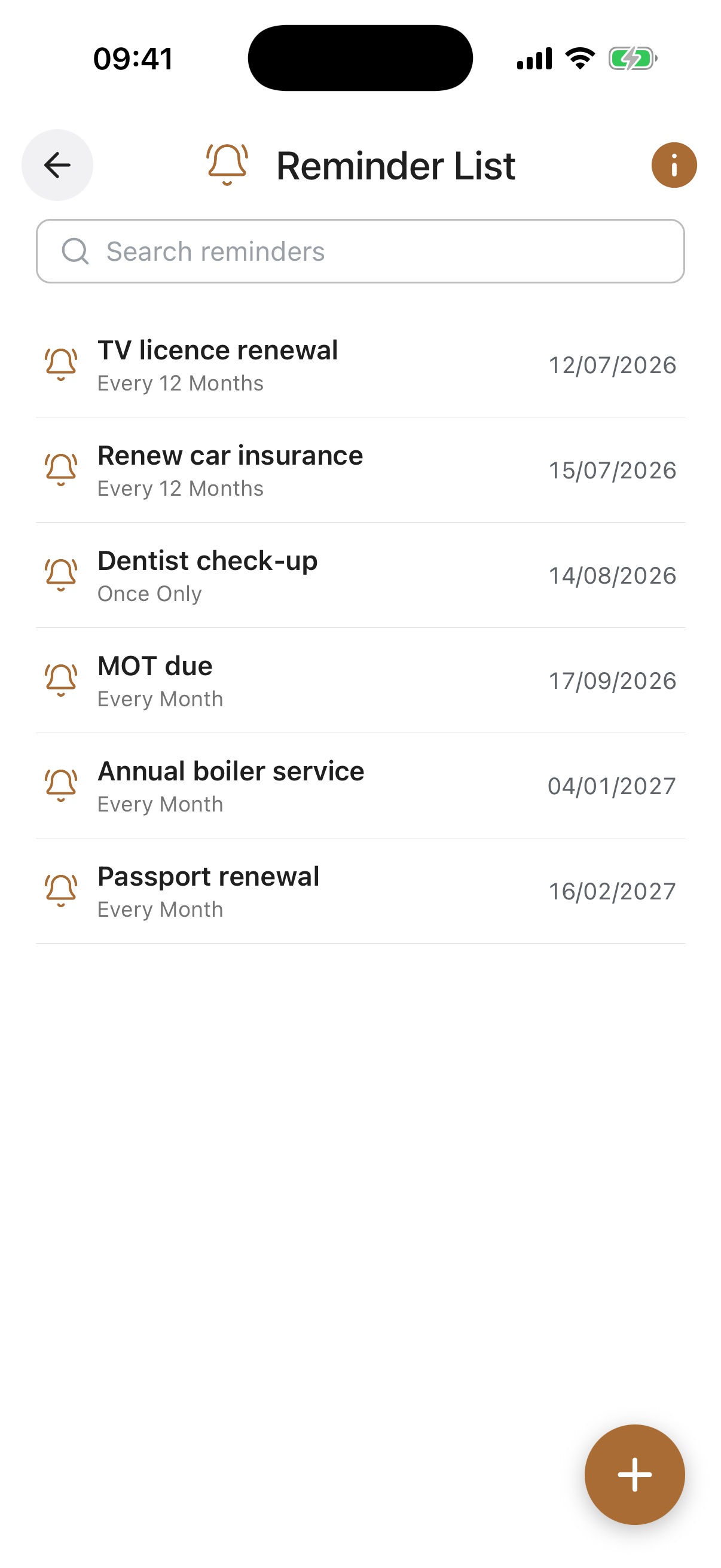
Overview
Reminders brings together every reminder you have set across Inheritable into one place, sorted with the soonest first. A reminder can be attached to an item in another feature, for example a renewal date on an insurance policy or a review date on a will, set using the bell icon on that item.
A reminder can also stand completely on its own, with nothing else attached. For example, a monthly reminder to check your car tyre pressures, or to clean the exterior windows. Whatever you need nudging about, you can add it here.
You do not have to create every reminder from this screen. On most features, opening an entry reveals a bell icon, tapping it lets you attach a reminder to that specific item, for example a renewal date on an insurance policy or a review date on a will.
Every reminder you set this way also appears here in Reminders, alongside your standalone ones, so this screen is the single place to see and manage everything you have asked to be reminded about.
Reminders work for the recurring chores of everyday life as well as the important dates tied to your records.
Reminders are personal to you and are never shared with anyone. Deleting the item a reminder is attached to also removes its reminder, and you can edit, pause, or delete any reminder from this screen at any time.
Reminder Entries. Each reminder shows its title, the date it is due, and how often it repeats. The list is ordered with the soonest first, and anything overdue is clearly highlighted. Tap a reminder to edit it.
Linked Reminders. A reminder attached to an item in another feature shows which feature it belongs to. You can open it to jump straight to that item.
Off / Disabled. A reminder you have switched off shows as Off and will not send until you turn it back on. Useful for pausing a reminder without deleting it.
Add (+) Button. Creates a new standalone reminder, one that is not tied to any other item.
Title required. A short, clear title for the reminder, for example “Check car tyre pressures” or “Clean the exterior windows”.
Message. An optional note with any extra detail. This is included in the reminder email so you have the context to hand when it arrives.
Date required. When the reminder should first be due. Overdue reminders are highlighted in the list until dealt with.
Repeat. How often the reminder should recur: once only, or every week, fortnight, month, or every few months up to every two years. Choose Once for a one-off, or a repeat for anything regular such as a monthly check.
Enabled. Turn the reminder on or off. While off, it stays in your list as Off but will not send, so you can pause a reminder without losing it.