
Overview
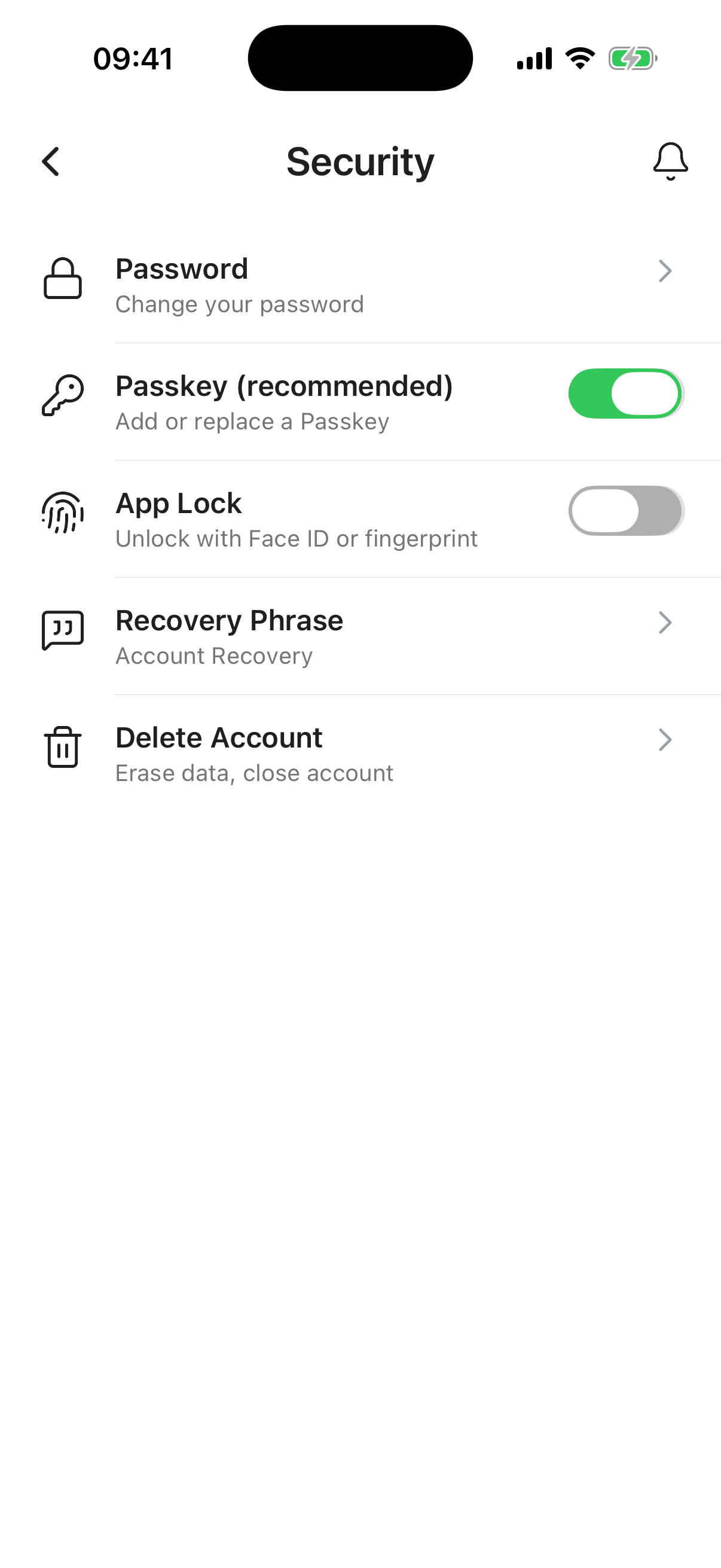
The Account Security screen gives you full control over how you access your Inheritable account and how it is protected. Configure your preferred login methods, set up a recovery phrase, and manage account deletion from here.
Change your password from here. Confirm your existing password, enter a new one and confirm. Passwords must be a minimum of 12 characters long.
All passwords are salted and hashed before storage. We never store readable passwords anywhere in our systems.
Make sure your Inheritable password is unique and not used on any other website or app. The most common way accounts are compromised is not by attacking the app itself, but by using credentials leaked from other services. If you reuse a password and that other service is breached, attackers will try that same combination everywhere.
If you signed up using the Apple or Google email relay, your password is managed entirely by those providers and Inheritable never has access to it. Use their respective account settings to make any changes.
Longer is stronger. A 20-character passphrase made up of a few random words is far harder to crack than a shorter password with special characters. The more characters you use, the exponentially larger the number of possible combinations an attacker would need to try. A good rule of thumb: aim for at least 16 characters and avoid using names, dates, or anything obvious about you.
Passkeys are the recommended way to access Inheritable. They are easy to set up, exist only on your device, and are protected by your device security, typically biometric authentication such as Face ID or fingerprint. Simply follow the on-screen prompts to get started.
Why passkeys are better than passwords. Unlike a password, a passkey cannot be guessed, phished, or leaked in a data breach because it never leaves your device and is never transmitted or stored on a server. There is nothing for an attacker to steal. Your biometric data (face or fingerprint) stays on your device too and is never shared with Inheritable. With no password to type, you are also protected against fake login pages designed to harvest your credentials. Passkeys are backed by Apple, Google, and Microsoft as the future of secure, frictionless sign-in.
App Lock adds a layer of protection on top of your sign-in. When it is switched on, Inheritable asks for Face ID or your fingerprint before the app can be opened, so even if your phone is unlocked and in someone else’s hands, your information stays protected.
You can choose how soon the lock should take effect after you leave the app, from locking the moment you switch away to a set period in the background of 1, 2, 5, 10, 15, 20, 30, or 60 minutes. App Lock also engages whenever you fully close and reopen the app.
The same check is used as a quick confirmation before sensitive details are revealed, such as a stored password or your recovery phrase, giving those items extra protection even while you are signed in.
App Lock is turned off by default so it never gets in the way while you are getting set up. You can switch it on at any time from Settings, then Security. When you first enable it, it is set to lock after 5 minutes, which you can change to suit you.
Because App Lock relies on your device’s Face ID or fingerprint, make sure those are set up on your device first. Your biometric data stays on your device and is never shared with Inheritable.
Add a recovery phrase and a hint here. This can be used to verify your identity and recover access to your account if you ever get locked out.
Keep it memorable but not obvious. A good approach is to use a hint that only you would understand and a phrase that only you would know the answer to. For example, a hint might be something like “At my wedding, my best man said to me…” with the answer being something like “She’s a keeper!” Something personal and specific is ideal.
Please note: Inheritable staff have the ability to view recovery phrase data as part of account support. Do not store anything sensitive or privileged here. The purpose of this field is account recovery only.
Use this option to permanently delete your account, subscription data, and all personal data from Inheritable services.
We would be sorry to see you go. If something is not working as you expected, please contact us first and we will do our best to help. If you do wish to proceed, this feature will handle the deletion for you.