
Overview
Does anyone really know your full life story? Life Timeline gives you a place to record the events and moments that mattered, from where and when you were born, to the relationships you built, the places you lived, the things you achieved, and everything in between. Add a date, a description, and a photo for each event, and you leave behind something far more personal than a list of facts.
Your timeline can be sorted chronologically and shared with trusted individuals now, so the people closest to you can discover and appreciate the life you have lived, not just after your passing, but while you are still here to see them enjoy it.
Your timeline is yours to define. There are no rules about what counts. Some ideas to get you started:
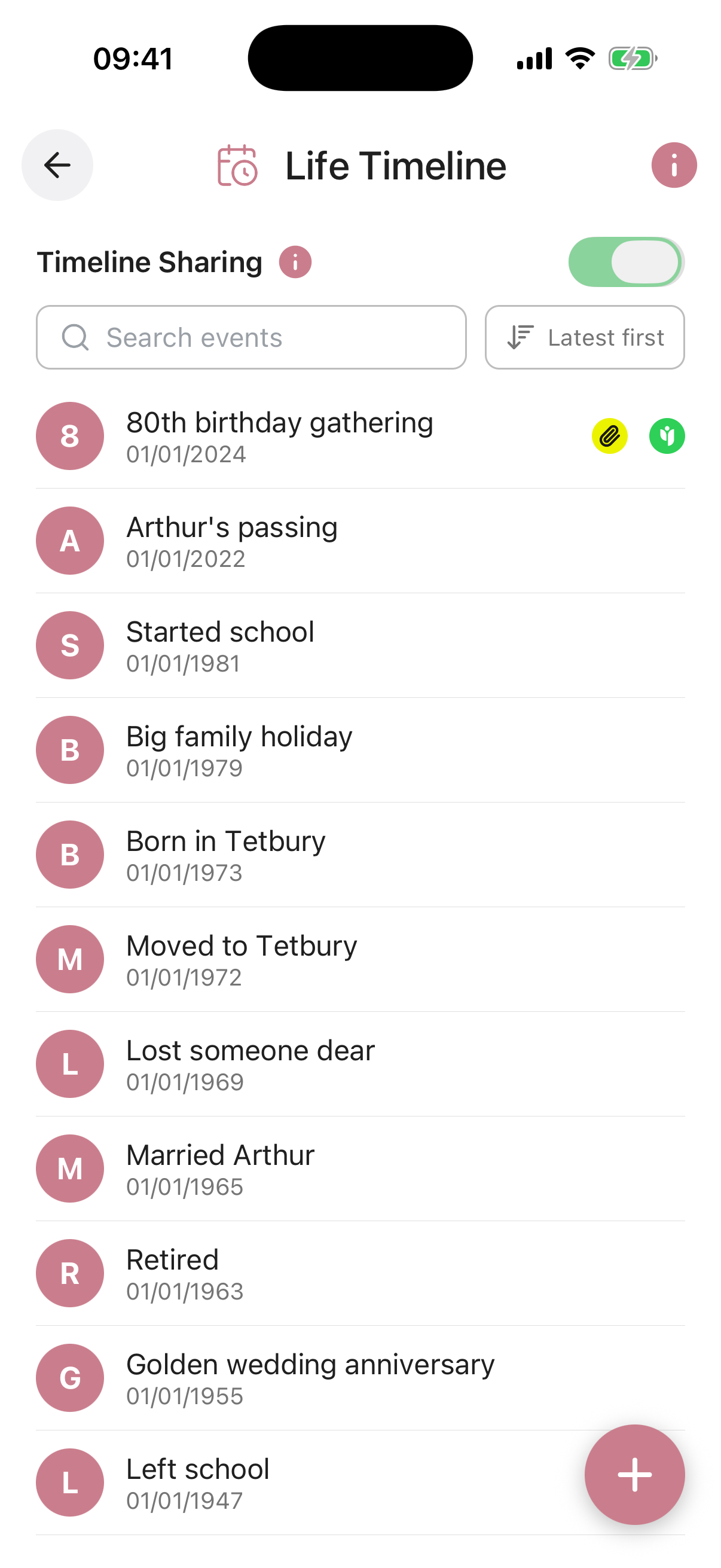
When the toggle is on, every item you have shared is visible to the contacts you chose. When it is off, nothing is shared with anyone, even if individual items still have contacts set.
Your per-item sharing choices are always preserved, so you can switch everything back on at any time without setting it all up again.
Use the Sort by Date control at the top of the list to arrange your events chronologically. You can add events in any order, and the sort will organise them into the right sequence automatically. There is no limit to the number of events you can add.
Event Name required. A short title for the event, such as “Born”, “Married”, “First Home” or “Retired”. This appears as the heading in your timeline list.
Date of Event required. The date the event occurred. Events are displayed in your timeline list and can be sorted chronologically using the Sort by Date control.
Event Details required. Your description of the event. Write as much or as little as you like, this is your chance to tell the story behind the date, the feelings, the context, and what it meant to you.
Share With. Choose a trusted contact to share this event with now. They will be able to view it through their Trusted Access view. The master Timeline Sharing toggle must also be enabled for sharing to be active.
Reminder. Set an optional reminder for this event, with its own title, a short note, a date, and how often it should repeat (once, weekly, monthly, and so on). You can switch the reminder on or off at any time.
Attach Document / Photo / Video. Add a photograph, video, or document to bring the event to life. A photo from the day makes the memory tangible for anyone who reads it. You can upload from your device or pull a file straight from your Digital Vault.